
Google Integration
Google Ads creative analytics for UAC and PMax asset groups
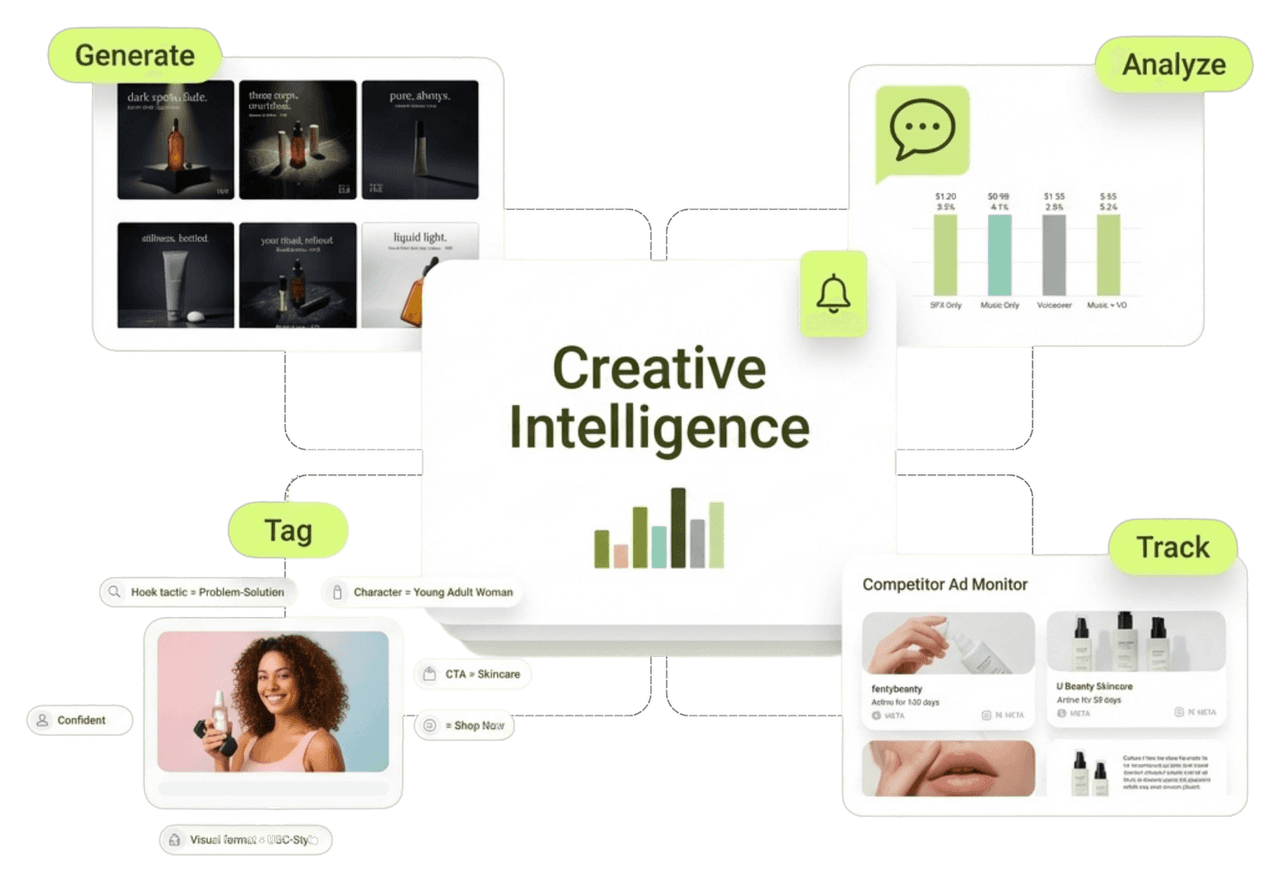
On App campaigns and Performance Max, Google assembles the assets you feed and reports blended results, not which asset carried them. Segwise tags every asset and maps each to ROAS, CPA, and LTV.
- SOC 2 Type II
- No credit card required
- Setup in minutes
Trusted by performance marketing and creative teams at
















Why teams choose Segwise for creative analytics
Creative Strategy Agent
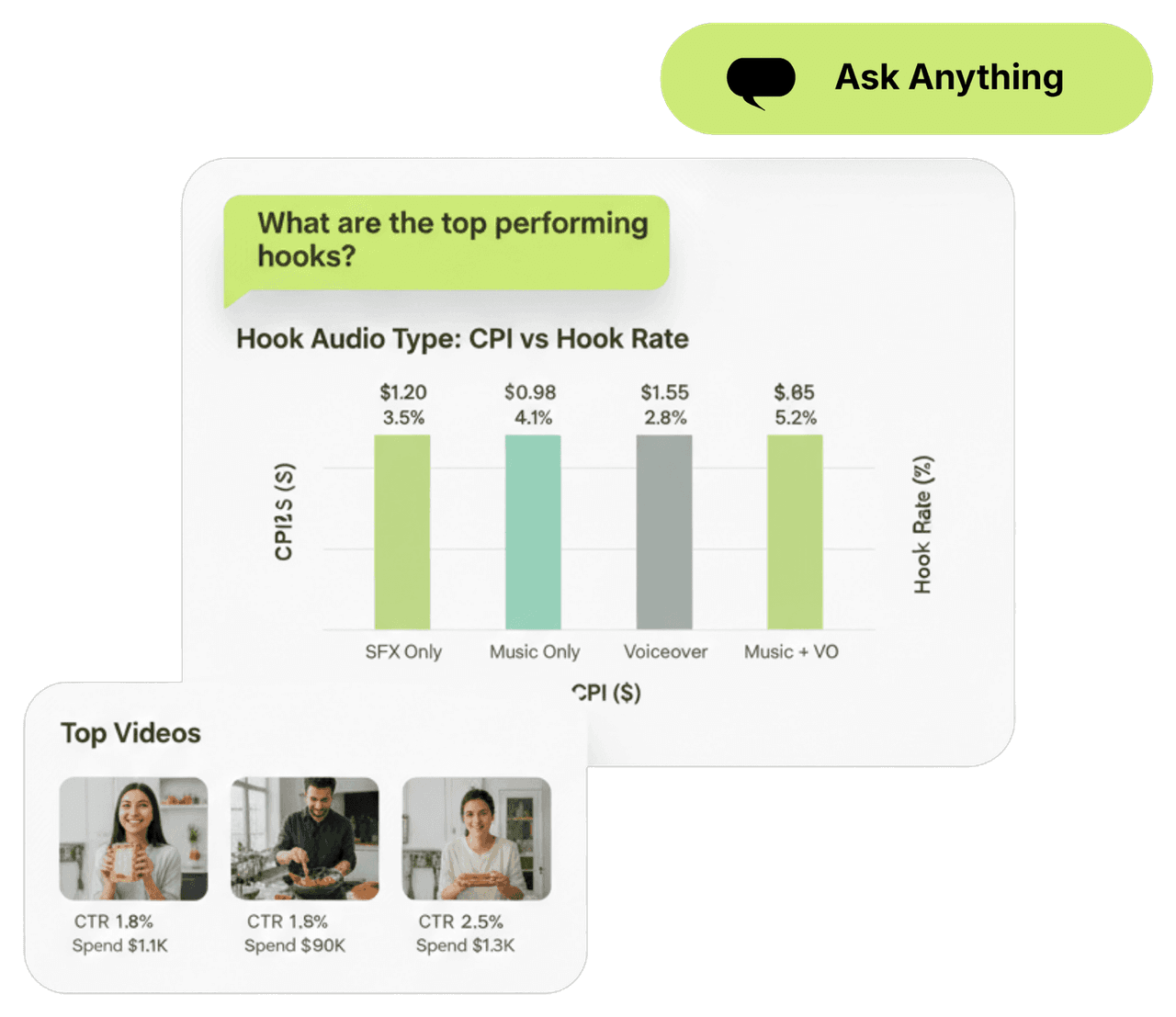
Ask which Google assets are carrying the machine
"Which video assets drive the best ROAS in PMax?" "Which headlines and images pull their weight across asset groups?" The Creative Strategy Agent holds full context on your Google data and answers plainly, with the numbers shown.
Creative Tagging Agent
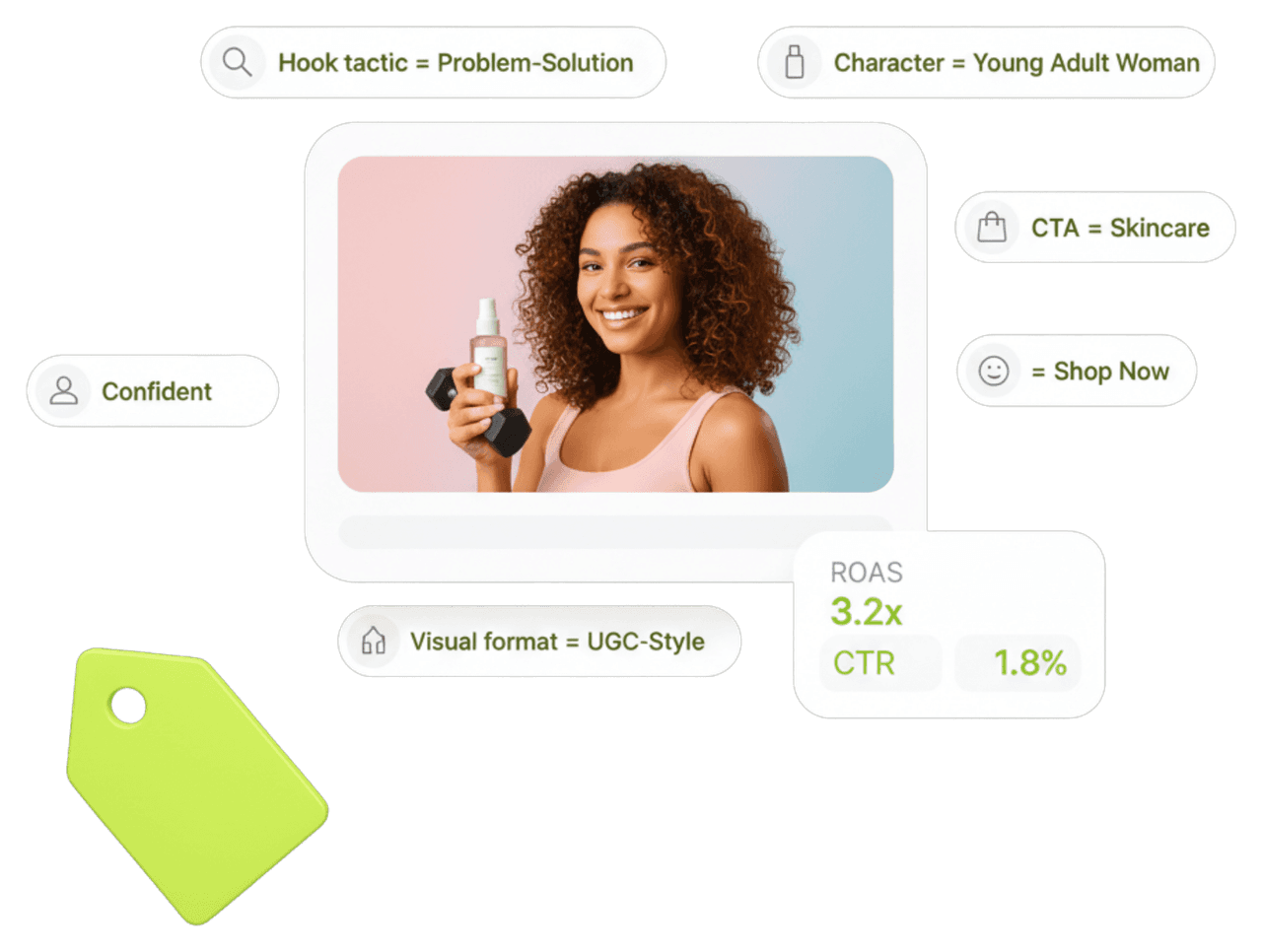
Tag every asset you feed into asset groups
Segwise's multimodal AI reads your videos, images, and text assets together and tags hooks, opening frames, messaging, and CTAs, then maps each to ROAS, CPA, and LTV. Since Google assembles automatically, asset-level tagging is how you see what the automation is actually rewarding.
Creative Generation Agent
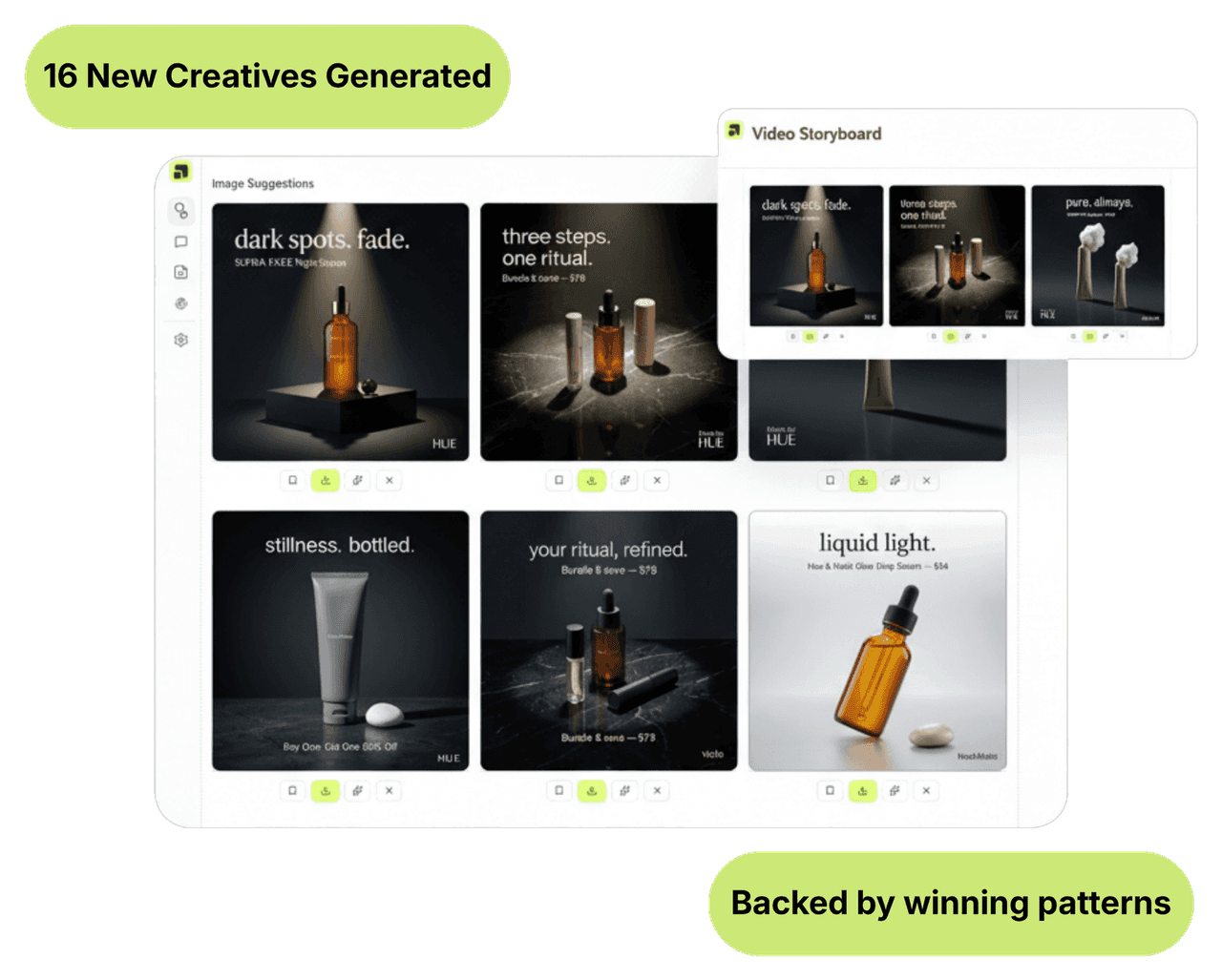
Generate stronger assets from your proven winners
Once Segwise sees which asset traits drive ROAS, the Generation Agent builds new video and static assets and storyboards around those patterns, so you feed asset groups better inputs. Export in every aspect ratio Google needs, ready to upload.
50%
Higher ROAS
Teams that identify their winning Google assets and stop feeding the weak ones improve ROAS by up to 50%.
20 hrs
Saved per week
AI tagging and plain-language querying replace the manual asset-group reporting a UA team does by hand each week.
5 min
To connect Google
Connect Google through OAuth in about five minutes. No API keys, no engineering, no tag changes.
Integrations
15+ networks & data sources
No matter where your data is stored, Segwise offers seamless, no-code integration with your ad networks and data sources while ensuring enterprise-grade data security.
Built for Google
Catch asset fatigue inside automated delivery
Even inside automated bidding, tiring assets pull down engagement, lift CPMs, and push CPA up before blended ROAS visibly drops. Segwise tracks the performance trend on every asset and alerts you on Slack or email so you can swap in fresh inputs before the machine's results slide.
Build asset-level Google reports for your team
Assemble dashboards around asset-level ROAS and CPA across Search, YouTube, Display, Discover, and Gmail, and share live links instead of exporting spreadsheets.
See Google next to your MMP and 14 other networks
Segwise joins Google spend with attribution from AppsFlyer, Adjust, Branch, or Singular for creative-level ROAS and LTV, and shows Google alongside every other network in one view.
Frequently asked questions
What is Google Ads creative analytics?
It is measuring which assets drive results inside automated Google campaigns like UAC and Performance Max, where you cannot place creative directly. Segwise tags every headline, image, and video asset you supply and maps each to ROAS, CPA, and LTV, so you can see which assets the automation is rewarding.
How does Segwise connect to Google?
Through OAuth in about five minutes, no API keys or engineering. Segwise imports up to 14 days of Google asset history on the free trial and up to 3 months on paid plans, then keeps syncing automatically.
How does creative analytics help when I can't hand-place creative?
Because Google assembles and serves assets for you, asset quality is the one thing you fully control. Segwise shows which assets earn ROAS across placements, so you feed asset groups more of what works and retire what drags results down.
Which Google assets and elements does Segwise tag?
Video, image, and text assets across your asset groups. The multimodal AI tags hooks, opening frames, messaging, and CTAs and connects each to performance across Search, YouTube, Display, Discover, and Gmail.
Can Segwise generate new Google assets?
Yes. The Generation Agent finds the traits behind your winning assets and generates new video and static assets and storyboards. Export in the aspect ratios Google needs, ready to upload into your asset groups.
What does the 7-day free trial include?
Full access to all four agents, every integration including Google, AI Chat, creative generation, and fatigue detection, with historical data imported automatically. No credit card required.
See which Google assets actually drive ROAS
Connect Google in about five minutes. Segwise tags every asset, maps it to revenue, and generates stronger inputs for your asset groups.
Explore more
Creative Analytics for other channels & teams
Creative Analytics
Creative Analytics for Adjust
Pair Adjust post-install revenue with network delivery to map each creative element to ROAS and LTV. AI tags every element. 7-day free trial.
View pageCreative Analytics
Creative Analytics for AppLovin
See which AppLovin playables and rewarded videos drive D7 ROAS. AI tags every element, including playables, and maps to revenue. 7-day free trial.
View pageCreative Analytics
Creative Analytics for AppsFlyer
Join AppsFlyer attribution to ad-network spend and see creative-level ROAS and LTV. AI tags every element and maps it to revenue. 7-day free trial.
View pageCreative Analytics
Creative Analytics for Bidease
Sharpen Bidease RTB with creative-level performance data. AI tags every element and maps it to ROAS across networks. 7-day free trial.
View pageCreative Analytics
Creative Analytics for Branch
Use Branch attribution and deep-link journeys to connect creative elements to downstream revenue. AI tags every element. 7-day free trial.
View pageCreative Analytics
Creative Analytics for DV360
See which DV360 creatives drive ROAS across display, video, and CTV at scale. AI tags every element and maps to revenue. 7-day free trial.
View page