
Integration Docs
Integration Guide
Connect AppLovin to Segwise
Follow these steps to connect AppLovin to Segwise and unlock AI-powered creative analytics across your campaigns.
Step 1: Fetch Reporting API key from Axon Dashboard
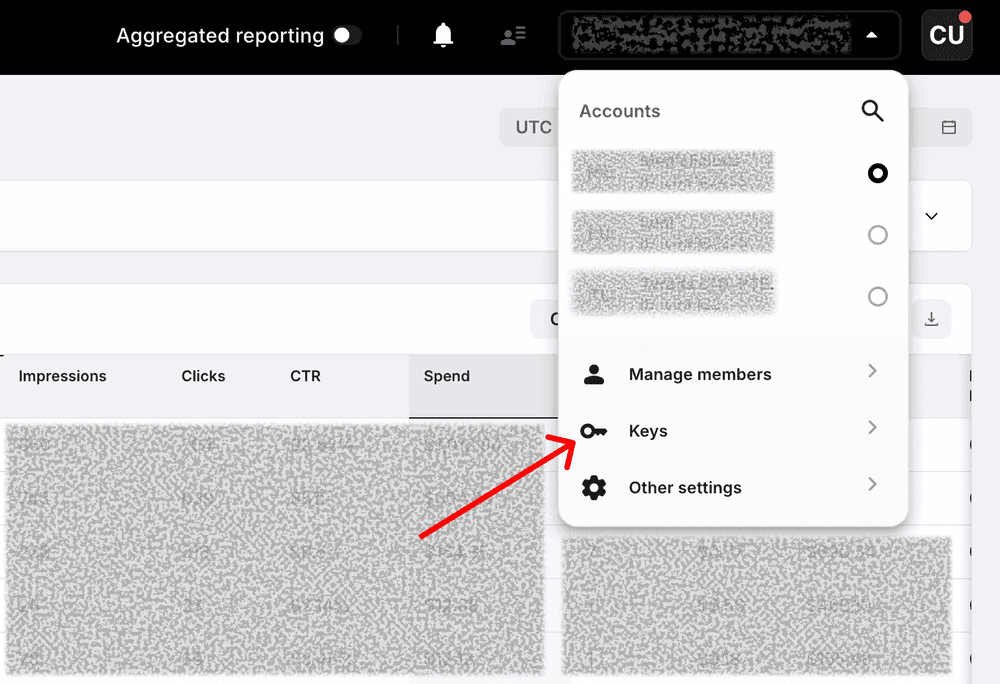
- Click on your account profile drop down on the top right of the screen.
- Click on Keys to access your Reporting and Campaign Management API key.
- Also copy your Account ID.
Step 2: Connect with Axon
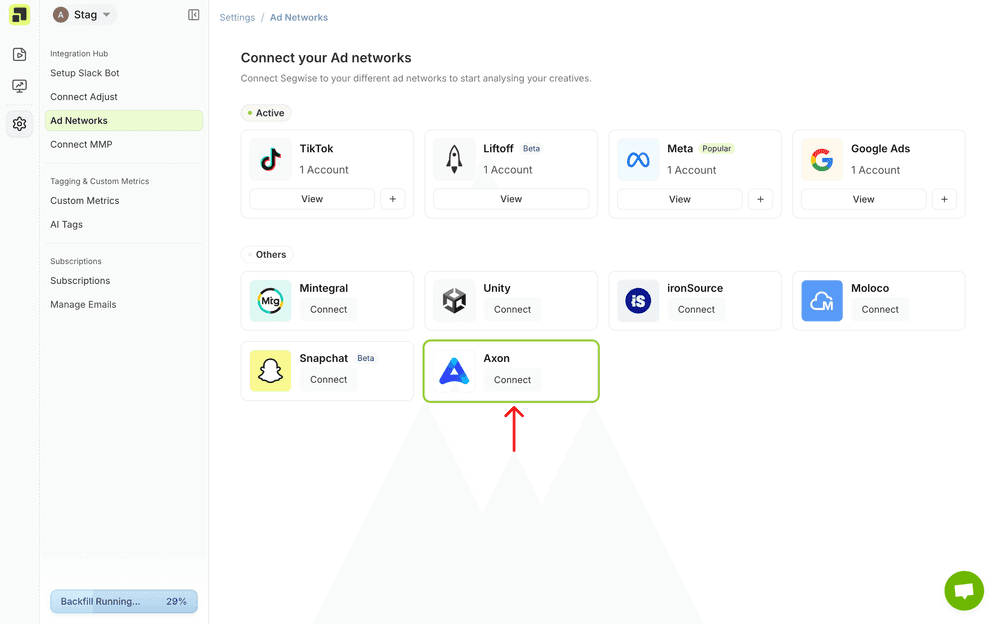
- In your Segwise dashboard, go to Settings -> Ad Networks
- Click on Connect under Axon
Step 3: Enter API Key
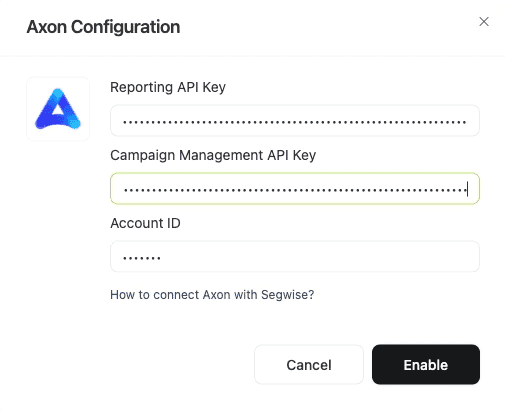
- Enter the Reporting and Campaign Management key on Segwise
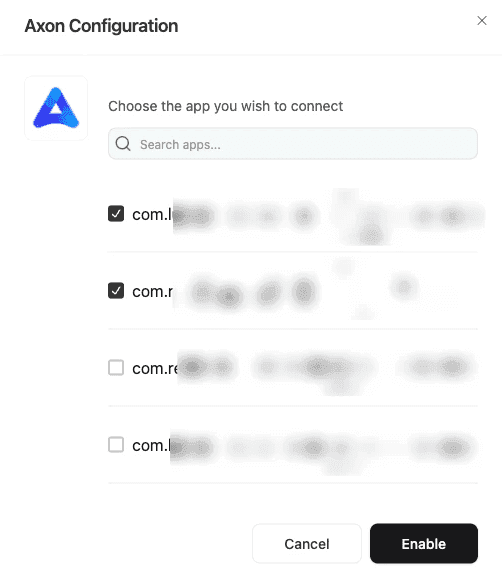
- Choose apps required and click Enable
Ready to analyze your AppLovin creatives?
Connect your data and let Segwise tag, analyze, and surface your winning creatives.


