
Integration Docs
Integration Guide
Connect AppLovin to Segwise
Follow these steps to connect AppLovin to Segwise and unlock AI-powered creative analytics across your campaigns.
Step 1: Fetch Reporting API key from Axon Dashboard
- Click on your account profile drop down on the top right of the screen.
- Click on Keys and copy your Reporting API key.
- Also copy your Account ID.

Step 2: Connect with Axon
- In your Segwise dashboard, go to Settings -> Ad Networks
- Click on Connect under Axon
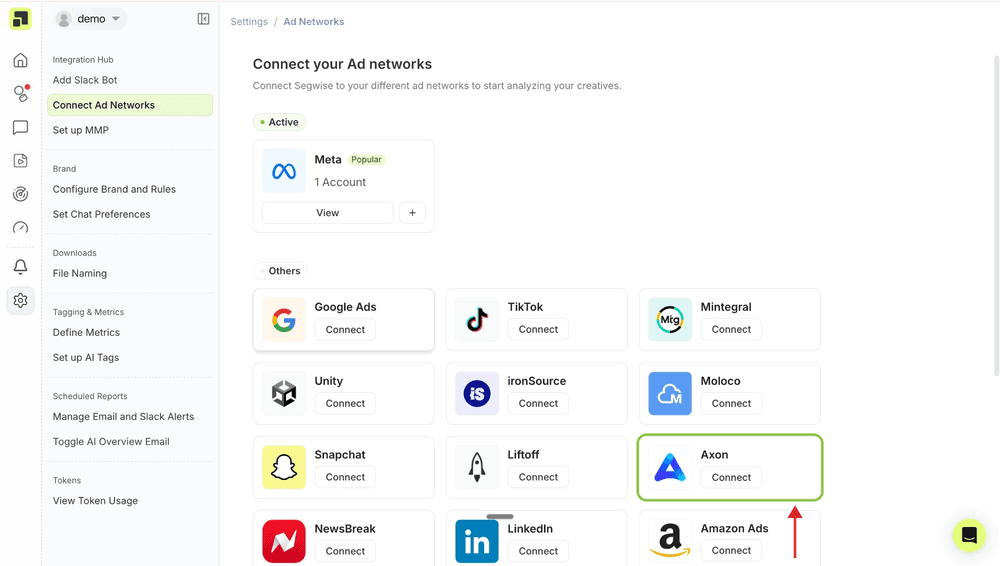
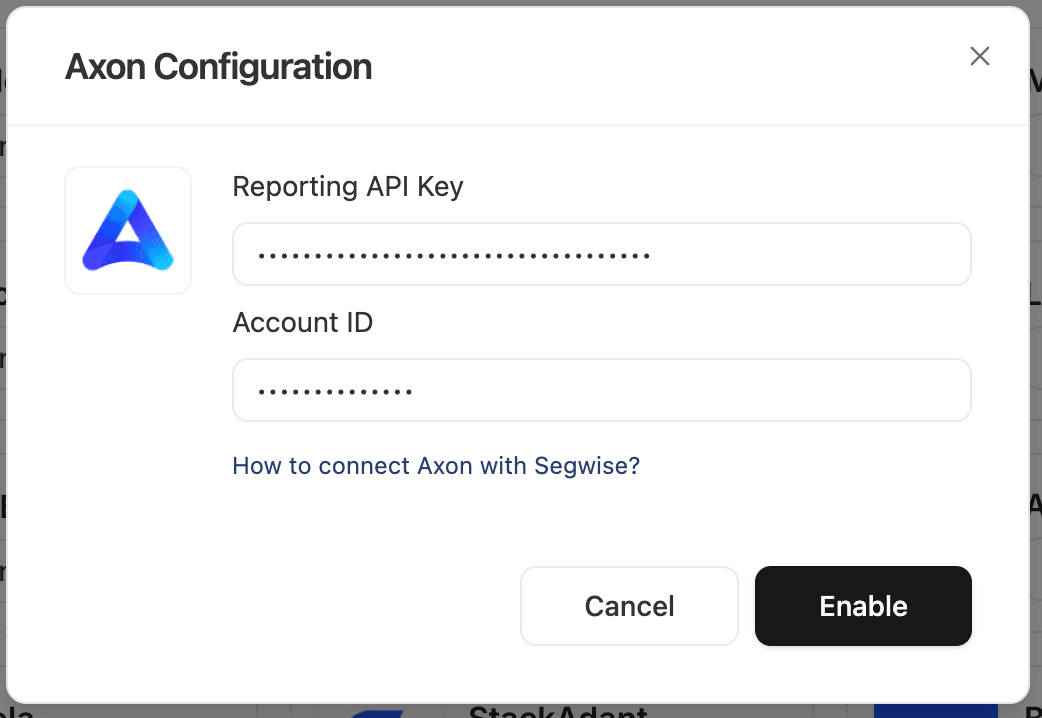
Step 3: Enter API Key and Account ID
- Enter your Reporting API key and Account ID on Segwise and click Enable
- On the next screen, choose the apps you want to connect and click Enable again

Ready to analyze your AppLovin creatives?
Connect your data and let Segwise tag, analyze, and surface your winning creatives.


